
Close
We use cookies to ensure we give you the best user experience. By continuing to use this site, we will
assume
you agree to the use of cookies.
Privacy Policy

You can log in now by going to https://msju.instructure.com/
Please use your MSJ username and password.
Of course! We will be hosting MSJ specific training sessions, but Canvas also offers a variety of in depth user guides. Here are some guides to help get you started!
Yes, Canvas has a mobile app option! To learn more about using Canvas on mobile devices, visit the Canvas Teacher Android Guide or the Canvas Teacher iOS Guide below.
Yes! Once you are logged in - please visit your Dashboard and select Start a new Course:
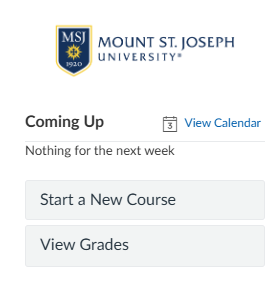
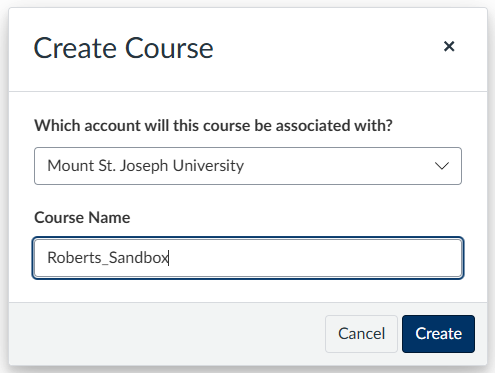
On the following screen - please select Mount St. Joseph University.
Name your sandbox "Lastname_Sandbox".
Because Canvas is a different learning management system, some tools and activities may function differently than they did in Blackboard Learn. As a result, certain assignments may need to be structured slightly differently—for example, blogs in Blackboard may need to be recreated as self-discussions in Canvas. The crosswalk below highlights common equivalents to help guide this transition.
When we bulk migrate courses from Blackboard to Canvas, student data cannot be transferred. This includes submitted assignments, tests, grades, and any other student activity or records.
The migration process only brings over course content, such as files, assignment shells, quizzes (without student attempts), discussion prompts, and other instructional materials. Any student submissions or grade data will remain in Blackboard and will not appear in Canvas.
If you would like to retain copies of student work for your records, you may want to download or export those materials from Blackboard before access changes.
We will be creating a new email address Canvas@msj.edu and we will also be rolling out a new ticketing system to handle Canvas request. More information to come! :)